回答
文档地址 https://docs.hamibot.com/
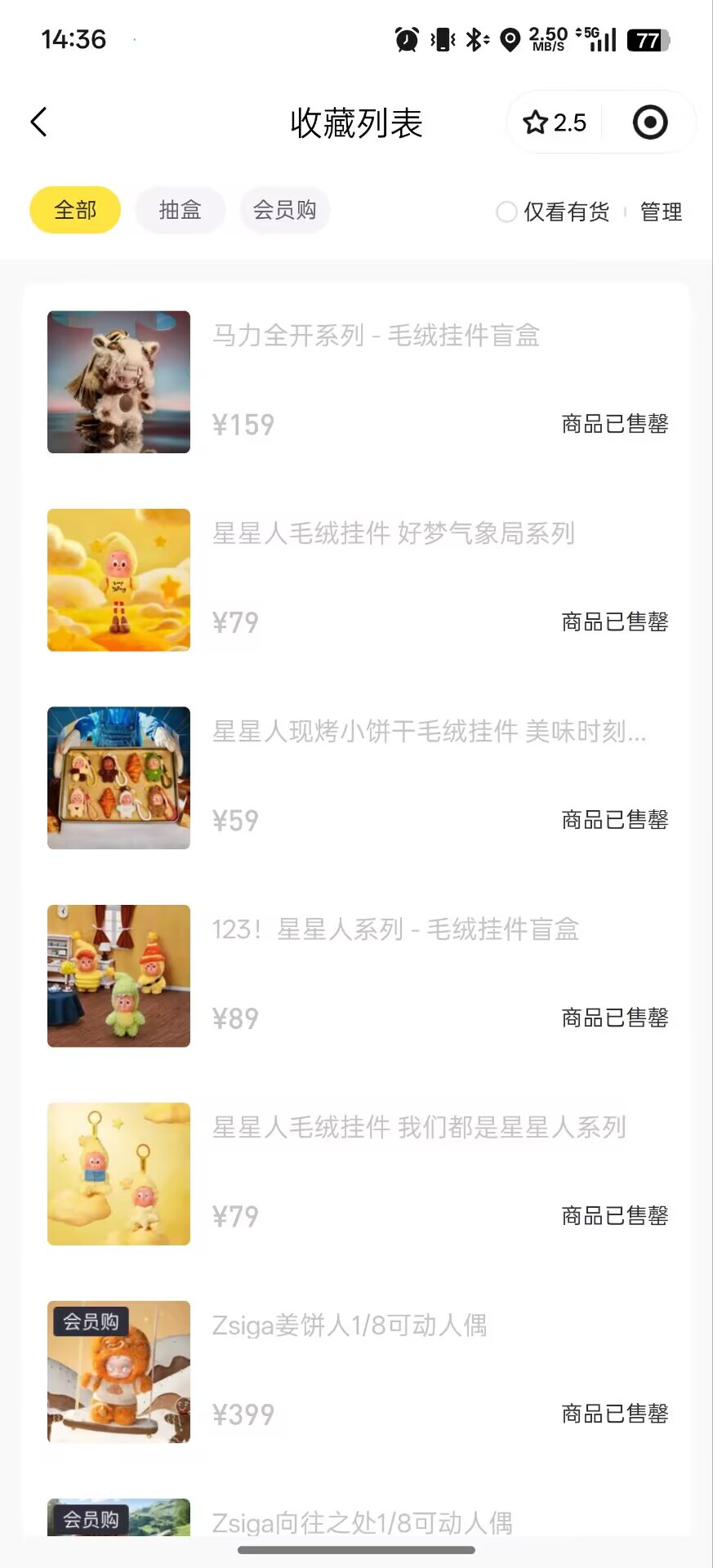
在微信小程序商品列表中获取商品名称并获取坐标,主要有两种方法:UI自动化和图像识别。我推荐优先尝试UI自动化方法,因为更精确可靠。
方法一:UI自动化(推荐)
如果微信小程序的元素能被无障碍服务识别,这是最理想的方式:
// 等待界面稳定
auto.waitFor();

// 假设商品名称是文本控件,通常可以用text()或desc()查找
// 尝试获取所有商品名称控件
var productNameViews = textMatches(/.+/).find();

// 如果以上方式不行,可以尝试用class类型查找(常见的是TextView)
// var productNameViews = className("android.widget.TextView").textMatches(/.+/).find();

// 遍历所有找到的商品名称
for (var i = 0; i < productNameViews.size(); i++) {
    var view = productNameViews.get(i);
    var text = view.text();

    // 过滤掉可能不是商品名称的文本(如"¥"、"立即购买"等)
    if (text && text.length > 1 && !text.includes("立即购买") && !text.includes("¥")) {
        var bounds = view.bounds();
        var x = bounds.centerX();
        var y = bounds.centerY();

        console.log("商品名称: " + text + ", 坐标: (" + x + ", " + y + ")");
        // 如果需要点击,可以使用:
        // click(x, y);
    }
}
方法二:图像识别(备选)
如果UI自动化无法识别元素,可以使用OCR或找色方法:
auto.waitFor();
if (!requestScreenCapture()) {
    toastLog("请授予屏幕截图权限");
    exit();
}

sleep(1000);
var img = captureScreen();

// 方法1: 使用OCR识别文本(需要Hamibot Pro)
if (images.ocr) {
    var results = images.ocr(img);
    for (var i = 0; i < results.length; i++) {
        var result = results[i];
        if (result.text.length > 2) {
            console.log("识别到文本: " + result.text + ", 坐标: (" + result.bounds.left + ", " + result.bounds.top + ")");
            // 如果需要点击,可以使用:
            // click(result.bounds.centerX, result.bounds.centerY);
        }
    }
} else {
    toastLog("OCR功能需要Hamibot Pro版本");
}
注意事项
-
元素识别:微信小程序的UI元素可能有多种class类型,常见的是"android.widget.TextView"或"android.view.View",你可能需要尝试不同的选择器
-
滚动处理:如果商品列表很长,需要添加滚动代码:
// 向下滑动屏幕的3/4高度
swipe(device.width / 2, device.height * 3 / 4, device.width / 2, device.height / 4, 300);
sleep(1000); // 等待滚动完成
- 定位技巧:如果商品名称附近有固定特征(如价格前的"¥"符号),可以先定位特征元素,再通过relative()方法找到名称:
var priceViews = textMatches(/¥\d+/).find();
for (var i = 0; i < priceViews.size(); i++) {
    var priceView = priceViews.get(i);
    // 假设商品名称在价格上方
    var productNameView = priceView.parent().child(0);
    console.log("商品名称: " + productNameView.text());
}
- 调试建议:使用
dump()函数可以查看当前界面的所有UI元素,帮助你确定合适的查找条件:
auto.waitFor();
dump();
建议先尝试UI自动化方法,大多数情况下都能成功获取商品名称和坐标。如果遇到问题,可以提供更多界面细节,我可以给出更有针对性的解决方案。
ℹ️ 内容由 AI 生成,可能不准确,请注意核实